📝 Editor’s Pick: Looking for the most realistic text-to-speech software? Save time with our curated list of the Best AI Voice Tools Available Now.
Table of Contents
Let’s be honest: Most British accent text to speech generators are painful to listen to.
We all know the sound. You type your script into a free tool, select “English (UK),” and press play. Instead of a professional narrator, you get a robotic caricature of a 1990s butler or a glitchy GPS navigation system. It sounds stiff, unnatural, and devoid of emotion.
If you are a content creator, this is a disaster. In the world of YouTube, e-learning, and corporate communication, audio quality is the single biggest factor in viewer retention. If your voiceover sounds robotic, your audience clicks away instantly.
The “BBC Effect”: Why the Accent Matters There is a reason why the British accent is so sought after in global media. Psychologists and marketers often refer to it as the “BBC Effect.” Whether it is the crisp Received Pronunciation (RP) or a warm Northern tone, a British accent subconsciously signals authority, intelligence, and trustworthiness to an international audience.
It can turn a simple explainer video into a high-end documentary. But this effect only works if the voice is indistinguishable from a human. A bad robotic imitation doesn’t build trust—it destroys it.
If you are a student trying to get through dense academic papers, switching to a clear British narrator can help with focus and retention. Learn how to turn your thesis materials or textbooks into audio in our guide: PDF to Sound Converter for Students.
🎧 Audio Test: Can you hear the difference?
Don’t just take my word for it. Let’s compare a standard free tool against the AI engine I recommend in this guide.
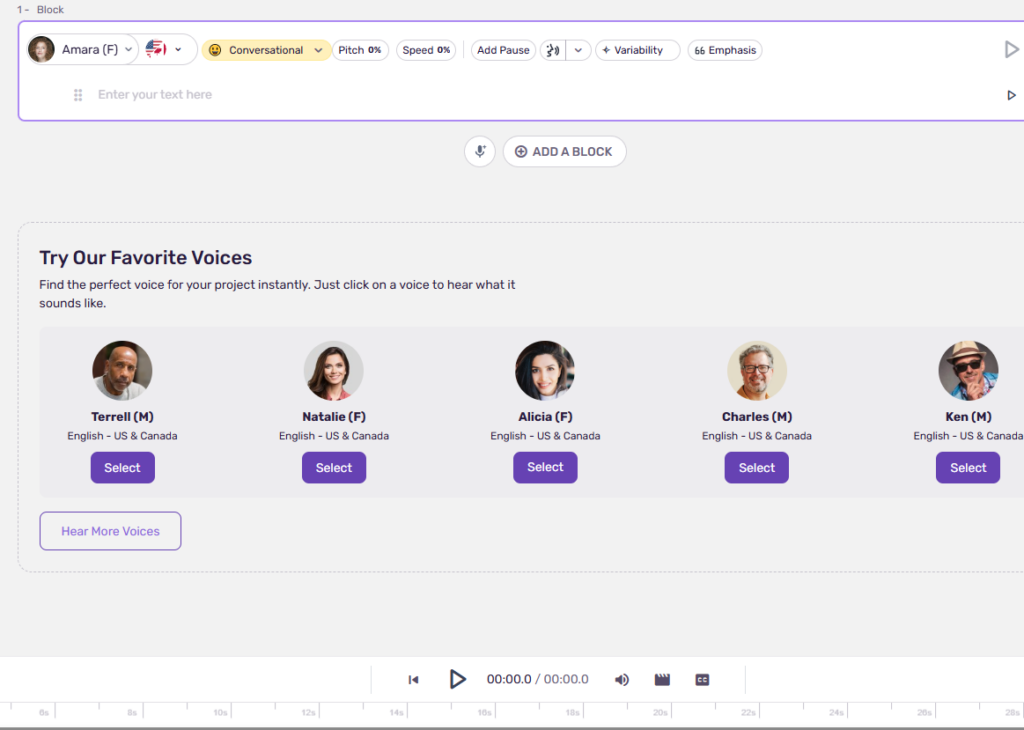
Option A: The “Standard” TTS
Sound familiar? Flat, monotone, and clearly artificial.
Option B: Modern AI (Generated by ElevenLabs)
Notice the breath, the slight pause before the emphasis, and the natural “Received Pronunciation” accent. This is what we are aiming for.
The Good News: TTS is Dead. Long Live AI. If you tried text-to-speech a few years ago and gave up, it is time to look again. We are no longer in the era of simple “Text-to-Speech” (TTS). We have entered the era of Generative Voice AI.
Modern tools don’t just glue phonemes together; they understand context, pacing, and intonation. They breathe. They pause for effect. They can sound skeptical, excited, or empathetic.
In this guide, I will show you exactly which tools can generate a flawless British accent that will fool your audience, and which ones you should avoid.
2. Why “British Accent” is Not Enough
If you type “British Text to Speech” into Google, most cheap tools will give you exactly one option: a stiff, upper-class voice that sounds like a caricature of a royal family member.
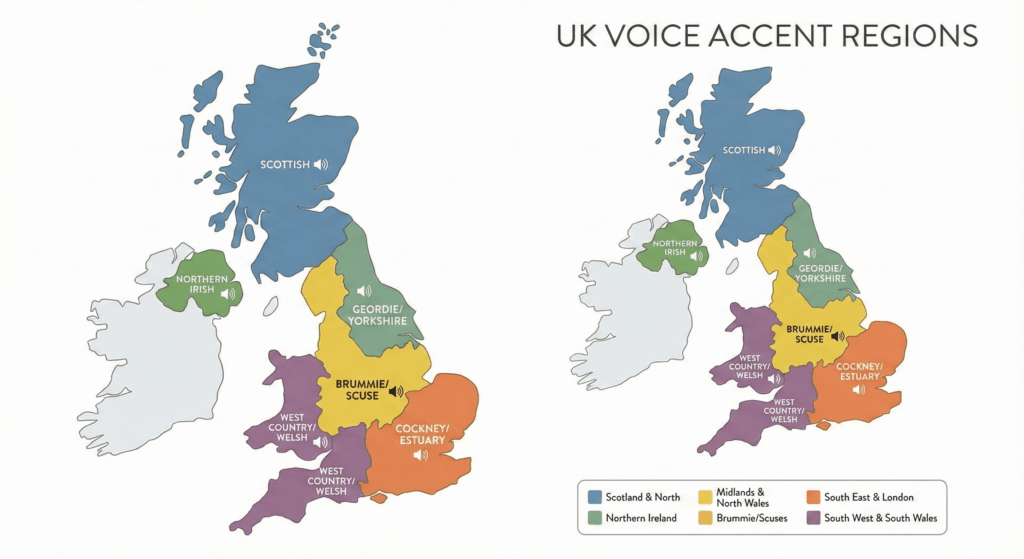
But if you are serious about content creation, you know that there is no single “British Accent.”
A voice that sells a luxury car is different from a voice that narrates a casual YouTube vlog or a fantasy audiobook. To truly connect with your audience, you need a tool that understands these regional and tonal nuances.
Here is a breakdown of the three main vocal profiles you should look for in an AI generator:
🏆 Received Pronunciation (RP)
Also known as “The Queen’s English” or “BBC English.” This is the accent traditionally associated with authority, education, and prestige. It is clear, precise, and devoid of specific regional quirks.
Best for: Corporate presentations, international news, high-end documentaries, and financial reports.
The Vibe: Professional, authoritative, timeless.
🎙️ Estuary / Modern London
This is the sound of modern Britain. It sits somewhere between RP and Cockney. It is the accent you are most likely to hear from younger YouTubers, podcasters, and TV presenters. It drops the stiffness of RP for a more relaxed, approachable tone.
Best for: YouTube tutorials, lifestyle vlogs, podcasts, and casual explainers.
The Vibe: Relatable, cool, current.
🏔️ Regional (Northern, Scottish, Irish)
Marketing studies often show that Northern English or Scottish accents are perceived as more “trustworthy,” “warm,” and “honest” compared to the sometimes cold RP. Many banks and customer service lines deliberately use these accents to put customers at ease.
Best for: Storytelling, customer-facing commercials, and character voices in audiobooks.
The Vibe: Friendly, warm, sincere.
The Problem with Most Tools
The vast majority of text-to-speech platforms offer you a single “British Male” and “British Female.” They force you into a box. If you try to use a stiff RP voice for a fun TikTok video, it will sound jarring and out of touch.
The Conclusion? You don’t just need a “British voice.” You need a library of British dialects. You need a tool that lets you switch from a London newscaster to a Scottish storyteller with one click.
3. The Best British Accent Text to Speech Engine: ElevenLabs
When it comes to realism, ElevenLabs stands in a league of its own. While other tools are impressive, ElevenLabs is the closest we have ever come to bridging the “uncanny valley.” It is not just a tool; it is the industry standard for modern creators.
Why It Wins: Interpretation vs. Reading
The biggest problem with standard Text-to-Speech (TTS) engines is that they simply “read” the script word-for-word. They sound flat.
ElevenLabs doesn’t just read your text; it interprets it.
Its AI model understands the context of the sentence before it generates the audio.
Context Awareness: It knows the difference between a sarcastic remark and a serious statement.
Natural Pacing: It automatically inserts pauses for breath, just like a human speaker would.
Intonation: It raises its pitch at the end of questions and softens its tone during emotional moments.
Showcase of Best Voices (Social Proof)
The library is massive, but a few specific voices have become the “gold standard” for YouTube channels and best-selling audiobooks. Using these instantly signals high production value to your audience.
Daniel (Legacy)The Authority. You have likely heard this voice on viral “faceless” YouTube channels. It is deep, American, and commands attention. Perfect for finance, news, or history niches.
GeorgeThe Storyteller. A warm, sophisticated British narrator. He sounds like a classic BBC presenter or a high-end audiobook voice actor. Ideal if you want to add a layer of class and trust to your content.
Lily The British Nanny. Gentle, clear, and incredibly comforting. She has a “Mary Poppins” vibe that makes her perfect for children’s stories, meditation guides, or friendly explainer videos.
These British voices aren’t just for YouTube videos. They are perfect for turning your digital library into an immersive experience. Imagine listening to Sherlock Holmes with a proper London accent. Here is a step-by-step guide on how to turn EPUB to Audiousing these specific voices.
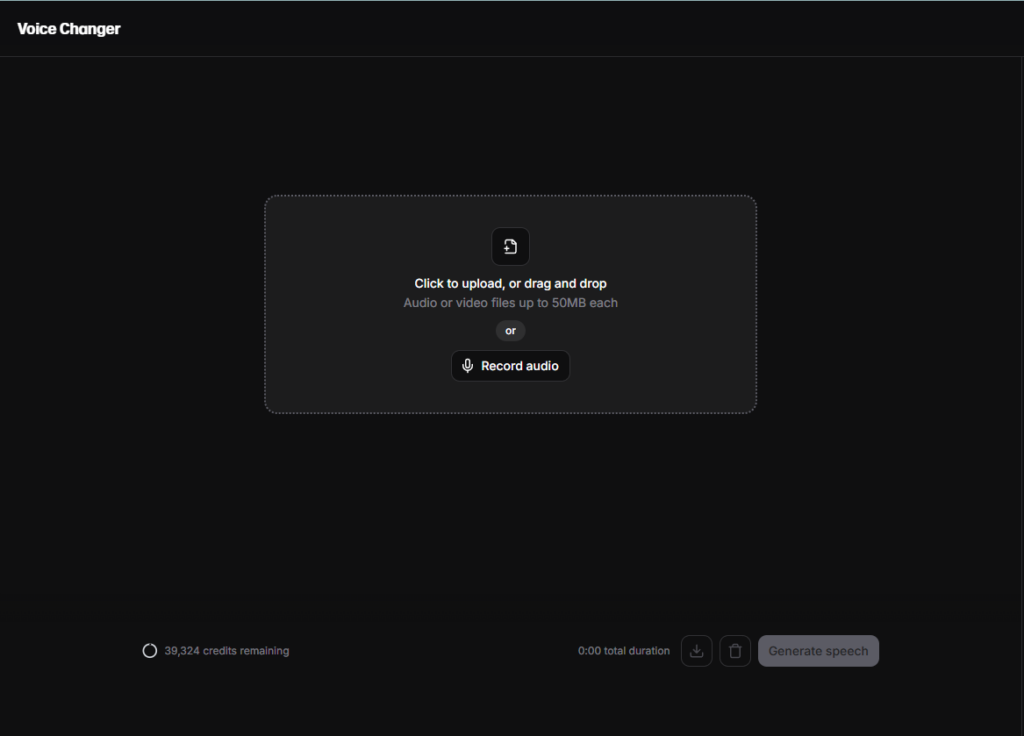
Feature Spotlight: Voice Changer 🎙️
This is a game-changer for non-native speakers.
If you are worried that your accent might hold you back from reaching a global audience, the Voice Changer feature is your solution.
How it works: Instead of typing text, you record yourself speaking into the microphone directly in the dashboard. You can speak with a heavy accent, background noise, or stutters. ElevenLabs will take your recording and “reskin” it with one of their perfect AI voices (like Adam or George).
The Magic: Unlike standard text-to-speech, it preserves your emotion and timing.
If you whisper, the AI whispers.
If you shout, the AI shouts.
It fixes your accent but keeps your soul.
Ready to hear the difference?
Don’t just take our word for it. Experience the nuance of these voices yourself.
Transparency is key. While ElevenLabs is our top recommendation for “human-like” quality, it is not the only tool on the market. Depending on your specific business model, one of these alternatives might fit your workflow.
1. Murf AI
Best for: Corporate Presentations & E-Learning
If your main goal is creating corporate training videos, explainer slides, or internal communications where “emotion” is less important than precision, Murf is a strong contender.
Where it shines: It has a built-in video editor that allows you to sync voiceovers directly with images and slides. It feels more like editing a PowerPoint than mixing audio.
The Downside: The voices can sound a bit more “robotic” and corporate compared to the cinematic quality of ElevenLabs.
Play.ht is a powerhouse, but it is built differently. It offers a massive range of voices and distinct “accents,” but the interface can feel overwhelming for a creative user.
Where it shines: If you are a programmer building an app and need a robust API to generate thousands of articles automatically, Play.ht is solid.
The Downside: The learning curve is steeper. It is less intuitive for a creator who just wants to “type and download.” Getting the right emotional tone often requires more tweaking than in ElevenLabs.
💡 The Final Verdict
Here is the bottom line. It comes down to one question: What are you selling?
If you are making corporate slides ➡️ Choose Murf AI.
If you are coding an app ➡️ Choose Play.ht.
If you are building an audience, a YouTube channel, or a brand that relies on connection, trust, and emotion ➡️ ElevenLabs is the undisputed winner.
For the business model we are discussing (High-End Content Creation), realism is everything. You cannot afford to sound like a robot. That is why ElevenLabs remains the #1 choice.
5. Step-by-Step Guide: How to Generate a British Voiceover in ElevenLabs
You have heard the samples. Now, let’s create one yourself using the ElevenLabs dashboard.
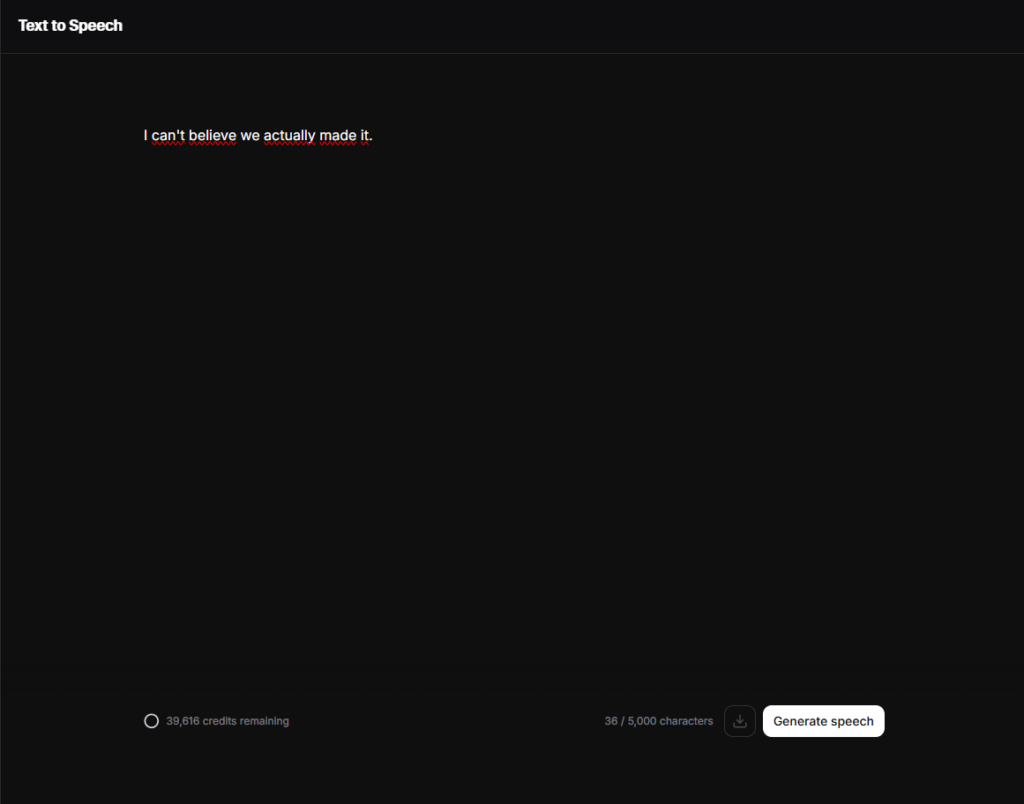
Many users simply log in, type text, and hit “Generate.” That is a rookie mistake. To get the cinema-quality British audio you heard above, follow this exact workflow inside the platform.
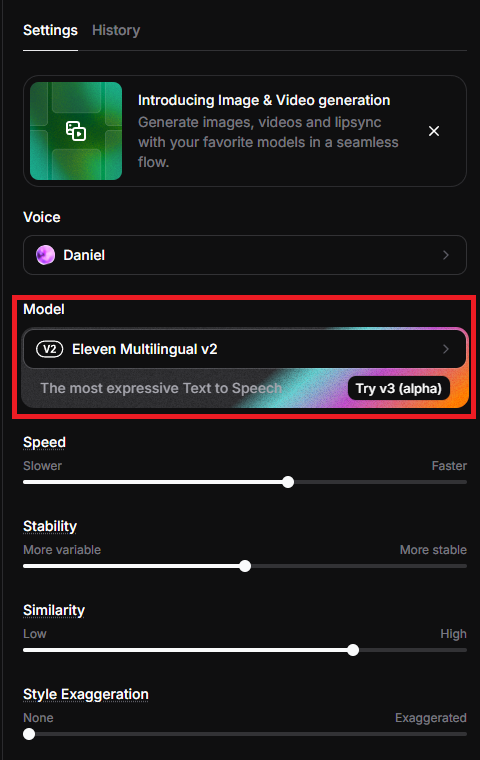
Step 1: Select the Right Engine
The “Model” is the brain behind the voice.
In the Speech Synthesis tab, go to “Settings”.
Ensure you have selected Eleven Multilingual v2.
Why? Even if you are only using English, the specific ElevenLabs v2 model is emotionally superior and handles British accents much better than the older v1 versions.
Step 2: Choose Your Talent
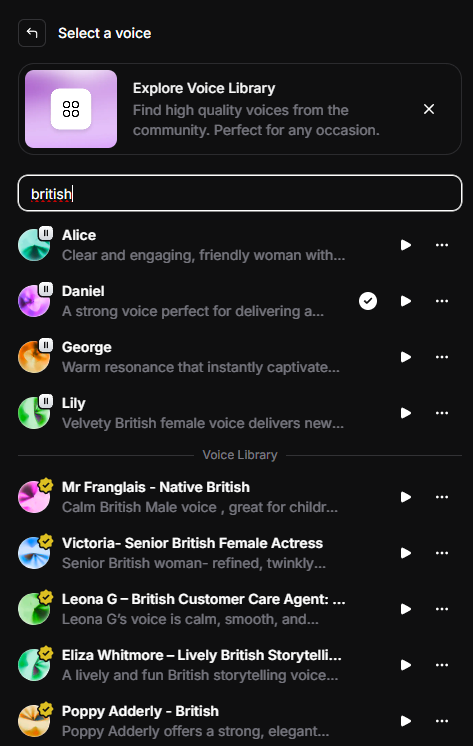
We need a specific British tone. Don’t scroll randomly through the list.
Click on the Voice name to open the selection menu.
Use the ElevenLabs Filters: Select Accent ➡️ British.
Select your preferred voice (e.g., Harry for business, George for stories).
Step 3: The “Secret Sauce” (Voice Settings) ⚠️
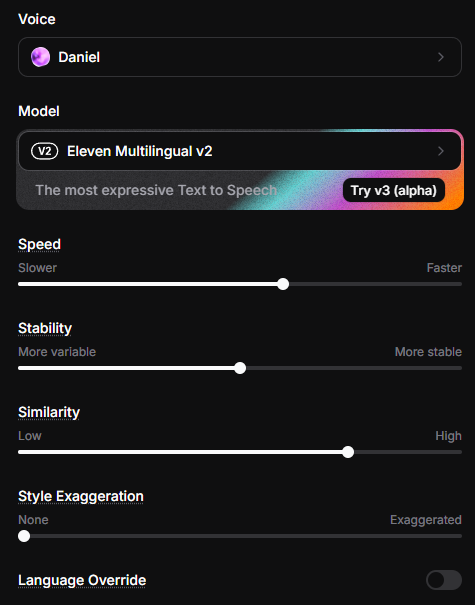
This is where the magic happens. Most people ignore the Voice Settings button next to the voice name, and that is why their audio sounds robotic.
Click “Voice Settings” to reveal the sliders. Here is the formula for a natural performance in ElevenLabs:
1. Stability (The Control)
What it does: It controls how “consistent” the voice is.
High (100%): Very stable, but can sound monotonous and robotic.
Low (0%): Very expressive, but can be unpredictable.
The Sweet Spot: Set this to 35% – 50%. This allows the AI enough freedom to inflect naturally (like a human) without losing control.
2. Similarity Enhancement (The Clarity)
What it does: It dictates how closely the AI mimics the original voice sample.
The Sweet Spot: Set this to 75% – 85%.
Pro Tip: Do not go to 100%. If you max this out, the AI tries too hard to replicate the recording quality, which can introduce static.
Step 4: Export & Format
Once you have generated your audio and you are happy with the performance:
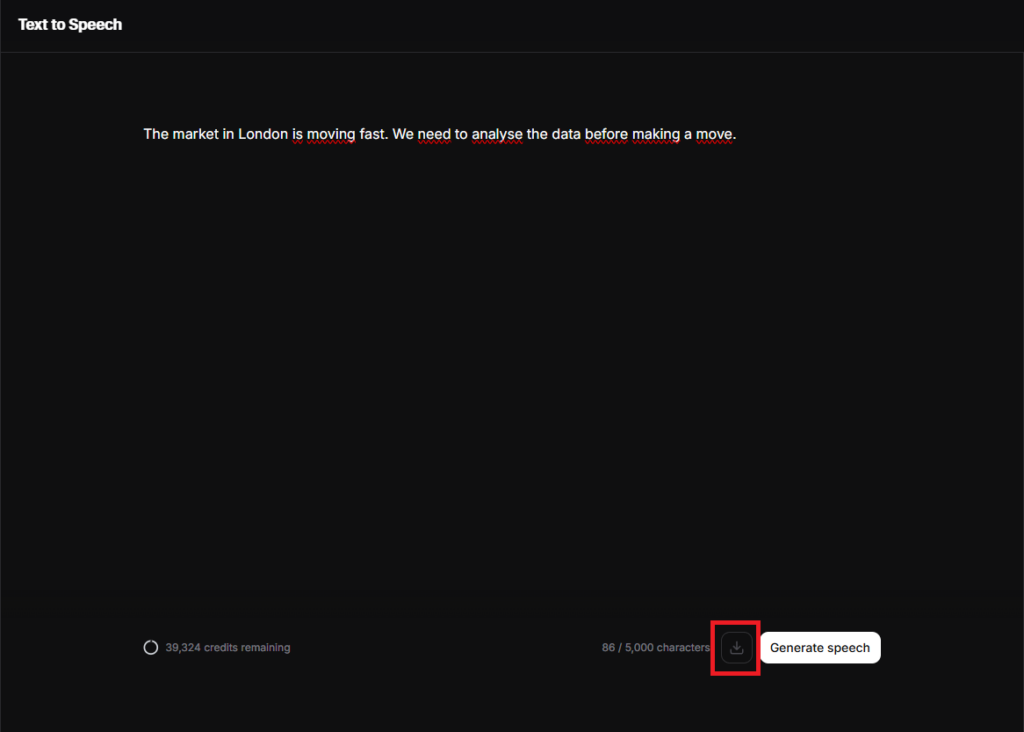
Click the Download icon on the right side.
Format Advice:
MP3: Good for quick drafts.
WAV: If you plan to edit this audio in Premiere Pro or DaVinci Resolve, always use WAV for the highest audio fidelity.
Can’t find the exact specific British dialect you need in the library? You can generate a custom one using the new Voice Design feature by simply describing the accent. Here is how to do it: How to Use ElevenLabs.
6. Advanced Tips: Getting the Most Out of AI (Expertise)
You now know the basics. But to truly dominate your niche, you need to master the nuance. The difference between a “good” AI voice and an “undetectable” one often comes down to how you format your text. Here are three expert techniques to refine your audio.
Pro Tip 1: The “Breath” Technique (Pacing)
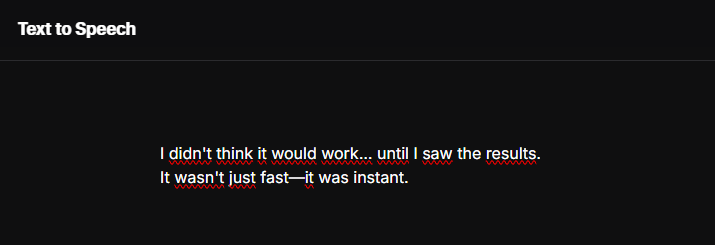
If you paste a giant wall of text, even the best AI will sound rushed. Humans need to breathe. You can force the AI to take a breath or pause for dramatic effect using punctuation.
The Ellipsis (...): Use this to create a hesitation or a trailing thought.
Example: “I didn’t think it would work… until I saw the results.”
The Dash (- or --): Use this for a sharp pause or a change in direction.
Example: “It wasn’t just fast—it was instant.”
The Line Break: Simply pressing “Enter” creates a natural pause between paragraphs.
Pro Tip 2: Forcing British Pronunciation
Sometimes, even with a British model, the AI might slip into American pronunciation for certain words (e.g., “Schedule” or “Privacy”). You can fix this by phonetically spelling the word the way a Brit would say it.
Common “Hacks” for the text box:
Schedule:
US: Sked-ule
UK: Type it as “Shed-yule” to force the British pronunciation.
Tomato:
US: Toe-may-toe
UK: Type it as “To-mah-to”.
Privacy:
US: Pry-va-cy
UK: Type it as “Priv-a-see”.
US:
UK:
Pro Tip 3: Voice Cloning & Uniqueness
If you want a voice that belongs only to your brand—so no other YouTuber can use it—you need Voice Cloning.
Instant Voice Cloning (IVC): You can upload a 1-minute sample of a voice, and ElevenLabs will clone it instantly.
⚠️ A Critical Warning on Copyright: Do not clone celebrity voices (like David Attenborough or Morgan Freeman) for commercial use without permission. This can lead to legal trouble and demonetization.
The Smart Strategy:
Hire a British voice actor on Fiverr for a one-time short recording (giving you full rights).
Clone that voice in ElevenLabs.
Now you have a unique, proprietary AI voice that you can use forever, without paying the actor for every new video.
Here are the answers to the most frequent questions we get about using AI for professional content.
Is ElevenLabs free to use?
Yes, but with limitations. ElevenLabs offers a free tier that allows you to generate up to 10,000 characters per month. However, there are two catches for business users:
Attribution: You must credit ElevenLabs in your video description.
No Commercial Rights: You technically cannot use the free plan for monetization. Recommendation: For a serious business, the “Starter” plan ($5/mo) unlocks Commercial Rights, allowing you to keep 100% of your earnings.
Can I monetize YouTube videos with AI voices?
Yes, absolutely. YouTube does not ban AI voices. Thousands of channels (like “The daily Aviation” or faceless history channels) are monetized using ElevenLabs voices. The Key Rule: As long as you have the Commercial License (from a paid ElevenLabs plan) and your video content provides value (it isn’t just spam), you are safe to monetize.
What is the best text-to-speech with a British accent?
If you are looking for the absolute best tool, the answer depends on your goal:
For Realism & Emotion (YouTube/Audiobooks):ElevenLabs is the #1 choice. Its “Multilingual v2” model captures subtle British inflections better than any competitor.
For Corporate Slides & E-Learning:Murf AI is a strong alternative if you need to sync audio precisely with PowerPoint slides.
Verdict: For 90% of creators, ElevenLabs offers the superior “human” touch.
8. Conclusion & Final Verdict
We have covered the technology, the voices, and the strategy. Now, the choice is yours.
In the world of content creation, audio is 50% of the experience. You can have the best video editing in the world, but if your narration sounds like a cheap GPS navigation system, your audience will click away in seconds.
The brutal truth: There are plenty of “free” text-to-speech tools out there. But ask yourself: Can you afford to sound cheap?
Free tools sound robotic and kill retention.
Hiring a British voice actor costs $150+ per script and takes days.
ElevenLabs costs less than a lunch and gives you Hollywood-level quality in seconds.
If you are serious about building a business, a brand, or a YouTube channel, quality is not optional. It is the only way to compete.
Don’t settle for a robot. Try ElevenLabs for free and hear the difference yourself.
Prefer a deep American accent over these British options? You might want to restore the Antoni text to speech voice to your library.
Transparency Note: This post contains affiliate links. If you use these links to buy something, I may earn a commission at no extra cost to you. Thanks for your support!