📝 2026 Update: Starting a YouTube channel? We picked the #1 tool that handles stock footage and voiceovers simultaneously. Check out our Best AI Voice Generators for YouTubers.
Table of Contents
If you are looking for the best text to speech for video editing, you probably know the golden rule of filmmaking: Audio is 50% of the experience.
You can have stunning 4K visuals and perfect color grading, but if your voiceover sounds like a toaster, the viewer will click off in 3 seconds. Bad audio kills retention faster than anything else.
For a long time, video creators were stuck between a rock and a hard place. You had two bad options:
- Hire a Professional Voice Actor: Great quality, but slow and expensive (often costing $100+ per minute).
- Use Old-School TTS: Free, but sounded like a robotic GPS navigation from 2010.
In 2025, AI changed the game. But with hundreds of tools on the market, which one is actually good enough for a professional YouTube channel or an ad?
I didn’t want to write another generic “Top 10” list based on reading landing pages. I wanted proof.
So, I set up a Battle Simulation.
I took the three market giants—ElevenLabs, Murf AI, and Lovo (Genny)—and tested them head-to-head in the three most popular video niches: Viral Shorts, Documentaries, and Tutorials.
Here are the unedited results.
The Contenders: Who Are We Testing?
Before we dive into the audio samples, let’s briefly look at who is fighting in the ring today. I selected these three because they represent the top tier of the market, but each has a completely different philosophy.
1. ElevenLabs (The Quality King)
ElevenLabs is currently the heavyweight champion of raw audio quality. They don’t distract you with video editors or stock footage; they focus 100% on the generative AI engine.
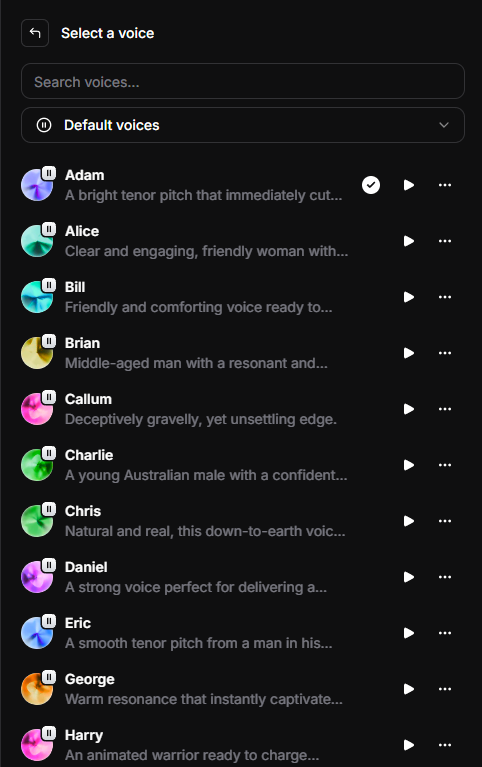
- Best for: Creators who need hyper-realism, emotion, and the famous viral voices (like Adam).
- Killer Feature: Instant Voice Cloning (the ability to clone your own voice from a 1-minute sample).
- Voice Cloning: You can clone your own voice to fix audio mistakes in your videos without re-recording the whole scene. (See my results in this ElevenLabs Voice Cloning Review).
2. Murf AI (The Corporate Suite)
If you want the best text to speech for video editing with a built-in timeline, Murf AI is a strong contender. It acts like a production studio.
- Best for: Corporate presentations, E-learning (L&D), and Explainers.
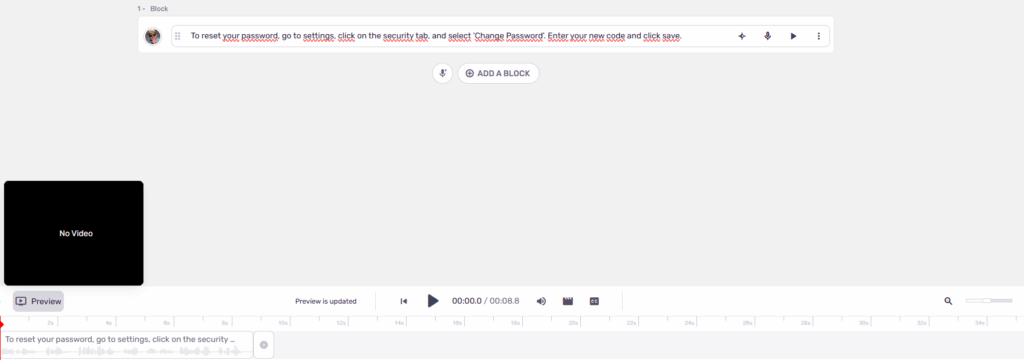
- Killer Feature: Video Sync. You can upload your video file directly to Murf and adjust the timing of the voiceover on a timeline to match your visuals perfectly.
I tested this tool extensively. If you want to see all its features deep-dived, read my full Murf AI Review.
3. Lovo / Genny (The All-in-One)
Lovo (now branded as their flagship tool, Genny) is the Swiss Army Knife of the group. It tries to replace your entire creative stack.
Why Lovo is considered the best text to speech for video editing by beginners:
- Best for: Solo creators who want speed and simplicity.
- Killer Feature: It’s not just a voice generator; it includes an AI image generator and a stock video library, allowing you to build an entire video from scratch inside the platform.
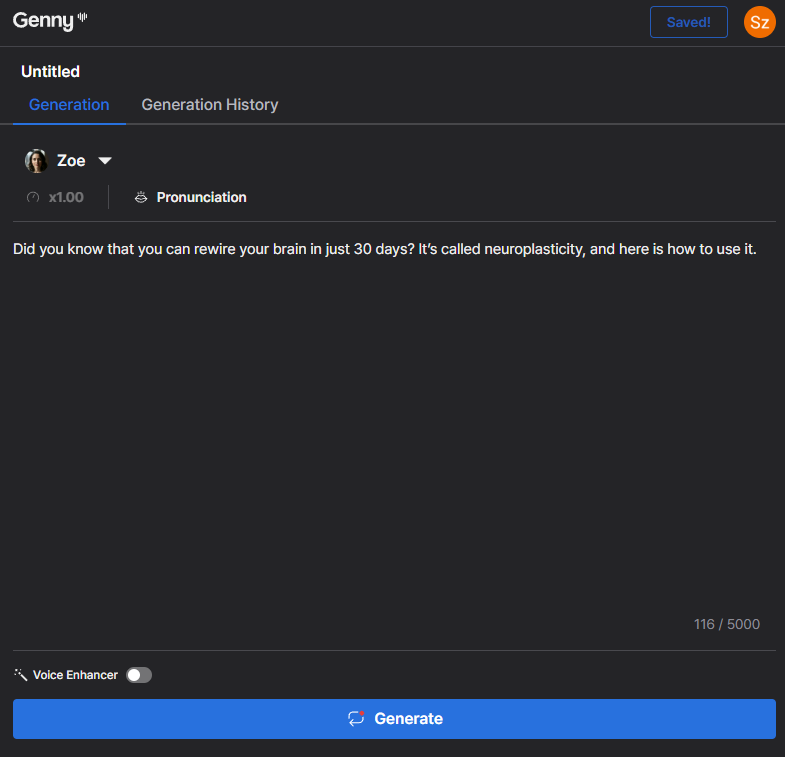
Most tools only give you the audio file. If you are looking for a platform that lets you edit the video timeline while generating the voiceover, Lovo AI (Genny) is currently the best hybrid tool on the market.
My Testing Methodology
To make this battle fair, I did not use the limited free plans.
- I used the highest-tier paid plans for all three tools.
- For ElevenLabs, I used the latest Turbo v2.5 model.
- For Lovo and Murf, I selected their “Pro” (Gen 2) voices.
- Crucially: The audio samples you are about to hear are 100% unedited. No background music, no EQ, no compression. This is exactly what comes out of the machine.
Round 1: The “Viral Short” Test (TikTok/Reels)
The Goal: In the world of scrolling, you have exactly 3 seconds to grab attention. The voice needs to be high-energy, punchy, and authoritative. It needs to cut through the noise.
If your voiceover sounds boring or slow, the viewer swipes up. Game over.
The Script:
“Did you know that you can rewire your brain in just 30 days? It’s called neuroplasticity, and here is how to use it.”
1. ElevenLabs (Voice: Adam, Speed 1.1)
I selected the Adam voice and tweaked the Speed slider to 1.1. This is a common trick used by viral channels to make the narration feel more urgent and engaging.
My Analysis: Listen to the texture. It sounds deep, resonant, and incredibly confident. By increasing the speed slightly, we removed any dragging pauses. This sounds like a professional radio host or a movie trailer narrator. This is the exact sound profile of 90% of successful “Cash Cow” channels right now.
This deep, punchy sound is exactly why the ‘Adam’ voice went viral. If you want to use this specific voice for your Shorts, check out my guide on how to get the ElevenLabs Adam Voice.
Not every video needs a deep, serious narrator like Adam. If you are creating comedic skits for TikTok or Instagram Reels, you need energy. We have a specific guide on how to generate the most famous cartoon voice on the internet: SpongeBob Text to Speech.
2. Murf AI (Voice: Ken)
I selected “Ken,” which is their top-tier American male voice, often used for marketing.
My Analysis: It is… clean. Very clean. But that is the problem. It sounds a bit too “polite” and corporate. It lacks the grit and “storyteller” vibe that Adam has. On TikTok, “polite” gets scrolled past. This voice sounds like a bank advertisement, not a viral hook.
🏆 Winner: ElevenLabs
If you are looking for the best text to speech for video editing on TikTok or Shorts, ElevenLabs wins by a knockout. The audio fidelity is simply higher, and the “Adam” voice has a proven track record of holding viewer retention.
Round 2: The “Documentary” Test (YouTube Long Form)
The Goal: Long-form videos (8+ minutes) have different rules. If you use a high-energy “TikTok voice” for a 10-minute documentary, your viewers will get a headache and leave.
Here, we need atmosphere, emotion, and pacing. The AI needs to “act,” not just read. It needs to know when to pause and when to whisper.
The Script:
“The old factory stood silent. For fifty years, these machines hummed with life. Now, only the wind whispers through the broken windows.”
1. ElevenLabs (Model: Multilingual v2, Stability 40%)
For this test, I switched to the Eleven Multilingual v2 model and lowered the Stability to 40%. Lower stability allows the AI to fluctuate its tone more, adding emotional weight.
My Analysis: This is scary good. Did you hear that? It lowered its pitch at the end of the sentence. It doesn’t sound like software; it sounds like a Netflix documentary narrator. It captures the melancholy of the script perfectly.
2. Lovo/Genny (Voice: Rick – Sad Emotion)
Lovo allows you to select “emotions” for some voices. I selected the “Sad” preset to give it a fair chance.
My Analysis: It tries, but it feels forced. While the voice is slower, it lacks the subtle “breathiness” that makes ElevenLabs feel real. It sounds like a robot pretending to be sad, rather than a human feeling sad. It breaks the immersion.
🏆 Winner: ElevenLabs
If you are running a “Faceless” history, mystery, or True Crime channel, ElevenLabs is the only choice. It understands the context of the words. It knows that “broken windows” should be read differently than “buy now.”
Round 3: The “Tutorial” Test (Education & B2B)
The Goal: If you are creating software tutorials, corporate training, or E-learning courses, you don’t need “drama” or “cinematic pauses.” You need absolute clarity and precision.
In a technical guide, the voice shouldn’t distract the user. It needs to be clean, consistent, and sound like a professional instructor, not an actor.
The Script:
“To reset your password, go to settings, click on the security tab, and select ‘Change Password’. Enter your new code and click save.”
1. Murf AI (The Corporate Standard)
I generated this using the “Ken” voice, which is a staple in the L&D (Learning and Development) industry.
My Analysis: Listen to the diction. It is surgical. There are no breaths, no hesitation, no emotional fluctuation. It sounds exactly like a Fortune 500 training video. Murf’s interface allows you to organize text into “blocks,” making it very easy to update a single sentence in your tutorial later without re-generating the whole file. It is built for stability.
2. ElevenLabs
I generated the same script in ElevenLabs using a standard “Professional” voice model.
My Analysis: The audio quality is fantastic, but ironically, it might be too realistic for a boring tutorial. ElevenLabs naturally adds micro-breaths and slight tonal changes to sound human. In a 1-minute video, this is great. In a 2-hour technical course, these “human imperfections” can sometimes become distracting.
🏆 Winner: Murf AI
When searching for the best text to speech for video editing in a corporate environment, Murf takes the crown. While ElevenLabs wins on emotion, Murf wins on consistency. If you need a voice that sounds strictly professional and “clean” for a corporate environment, Murf is the safer bet.
Workflow: How to Sync AI Voice with Video (Step-by-Step)
Since ElevenLabs proved to be the best text to speech for video editing in terms of quality but lacks a video timeline, you might be wondering: “Is it hard to sync this with my footage?”
Not at all. In fact, most professional editors prefer keeping audio and video separate until the final cut. Here is the exact workflow I use to create high-retention videos in minutes.
Step 1: Generate & Download (Quality Matters)
Don’t just click download. Check your settings.
- In ElevenLabs, ensure you are downloading the highest quality available for your plan (ideally MP3 192kbps or higher).
- Pro Tip: Generate your script in small “chunks” (paragraph by paragraph) rather than one huge file. It makes editing much easier later.
Step 2: Import to Your Editor
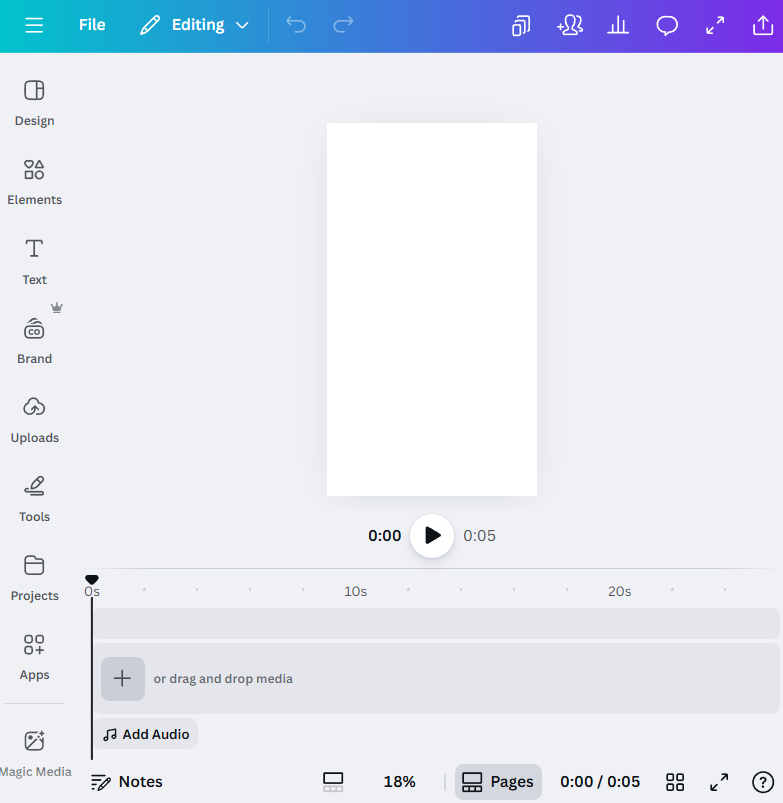
Drag your audio files into your timeline (works in CapCut, Premiere Pro, Canva, or even mobile apps).
- Place the audio track first.
- Your voiceover is the “spine” of the video. The visuals should follow the audio, not the other way around.
Step 3: The “Waveform” Hack
This is how you edit fast without listening to the whole thing 10 times. Look at the Audio Waveform (the visual spikes of the sound).
- High Spikes: This is where the AI is speaking.
- Flat Line: This is a pause/breath.
- The Trick: Cut your B-Roll (stock footage) exactly where the waveform spikes change. If the AI pauses, switch the camera angle or insert a transition. This creates a rhythmic, hypnotic flow that keeps viewers watching.
Step 4: Use Auto-Captions
One huge advantage of using high-quality AI voices like ElevenLabs is their diction.
- Since the AI speaks perfectly clearly, tools like CapCut’s “Auto-Captions” achieve near 100% accuracy.
- You won’t have to manually correct subtitles like you do with mumbling human recordings. Just click “Auto-Caption” and you are done.
This workflow is the industry standard for creators building Cash Cow channels. If you want to build a business around this, read my blueprint on How to Start a Faceless YouTube Channel.
Alternatively, you can use a tool like Descript which syncs audio automatically using transcription, saving you the manual work.
Price vs Value: Which is Cheaper for Creators
Video editing consumes a lot of audio. If you are making a 10-minute video, you need a plan that won’t run out of credits halfway through the month.
Here is the breakdown of the entry-level paid plans for each tool.
| Feature | ElevenLabs (Starter) | Murf AI (Creator) | Lovo (Basic) |
| Monthly Cost | ~$5 | ~$29 | ~$29 |
| Audio Allowance | ~30 mins (30k chars) | 2 hours (per month) | 2 hours (per month) |
| Commercial Rights | ✅ Yes | ✅ Yes | ✅ Yes |
| Entry Barrier | Very Low | Medium | High |
(Note: 1,000 characters is roughly equal to 1 minute of speaking time).
My Analysis: The “New YouTuber” Logic
If you are an enterprise with a budget, Murf AI offers good value for bulk generation (24 hours per year).
However, if you are a solo creator just starting a channel:
- Lovo asks for $29/month upfront. That is a significant expense for a channel earning $0.
- ElevenLabs asks for $5/month.
For the price of a single coffee, you get access to the best AI model on the market (Turbo v2.5), the viral “Adam” voice, and full commercial rights.
Don’t overinvest in tools until your channel makes money. Start with ElevenLabs Starter. It is the only logical choice for beginners.
Final Verdict: What is the Best Text to Speech for Video Editing?
I have tested them all, recorded samples, and edited videos with them. Here is my final recommendation based on your specific goal.
Option 1: Choose ElevenLabs If…
- You run a Faceless YouTube Channel or create TikToks/Reels.
- Audio Quality and Emotion are your #1 priority.
- You want the highest viewer retention (thanks to viral voices like Adam).
- You are comfortable dragging an MP3 file into a video editor (like CapCut).
If you want to reach a global audience, you don’t need to re-record your video. You can use AI Dubbing to translate your content into 29 languages while keeping the original voice. See how the Dubbing Studio works in our guide: How to Use ElevenLabs.
Option 2: Choose Murf AI If…
- You create Corporate Training, E-Learning, or Explainer Videos.
- You want to sync audio to video directly in the browser without using external software.
- You prefer a clean, “business-professional” sound over cinematic storytelling.
Option 3: Choose Lovo (Genny) If…
- You want an All-in-One creation suite.
- You need AI-generated images and stock video clips included in the same subscription.
My Personal Pick
For my video projects, I personally choose ElevenLabs.
Why? Because in 2025, the audience can smell “robotic” content from a mile away. ElevenLabs is the only tool that consistently fools the ear. The slight inconvenience of downloading an MP3 is a small price to pay for that level of quality.
FAQ: Common Questions About AI Voices in Video
Q: Can I monetize AI voice videos on YouTube? A: Yes, absolutely. YouTube allows monetization of AI-generated content. However, to be legally safe, you need a Commercial License from your voice provider. With ElevenLabs, you get full commercial rights starting from the $5/month Starter Plan.
Q: Does YouTube penalize or ban AI voices? A: YouTube does not ban AI voices. They penalize “repetitious, low-effort content.” If you use a cheap, robotic-sounding TTS that mispronounces words, the algorithm might flag it as spam. Using high-quality, human-sounding voices like ElevenLabs or Murf is completely safe.
Q: What is the best AI voice for Reddit stories? A: The most popular voices for Reddit threads (r/AskReddit, r/EntitledParents) are deep, masculine storytelling voices. The industry standards are “Adam” and “Antoni” from ElevenLabs.
Q: What is the best text to speech for video editing on a budget? A: If you are on a tight budget, ElevenLabs Starter ($5) is the best text to speech for video editing because it offers the highest quality-to-price ratio compared to Lovo or Murf.
Transparency Note: This post contains affiliate links. If you use these links to buy something, I may earn a commission at no extra cost to you. Thanks for your support!