💡 Creator Tip: Quality matters, but speed is king. Find out which AI voice tool lets you produce videos 5x faster in our comprehensive 2026 review.
Table of Contents
Learning how to start a faceless YouTube channel is the smartest move you can make in 2025.
You want to make money on YouTube, but you hate the idea of being on camera. You don’t want to be famous. You just want to build an asset.
Good news: Some of the highest-earning channels on YouTube right now are Faceless Channels (also known as “Cash Cow” or “YouTube Automation” channels).
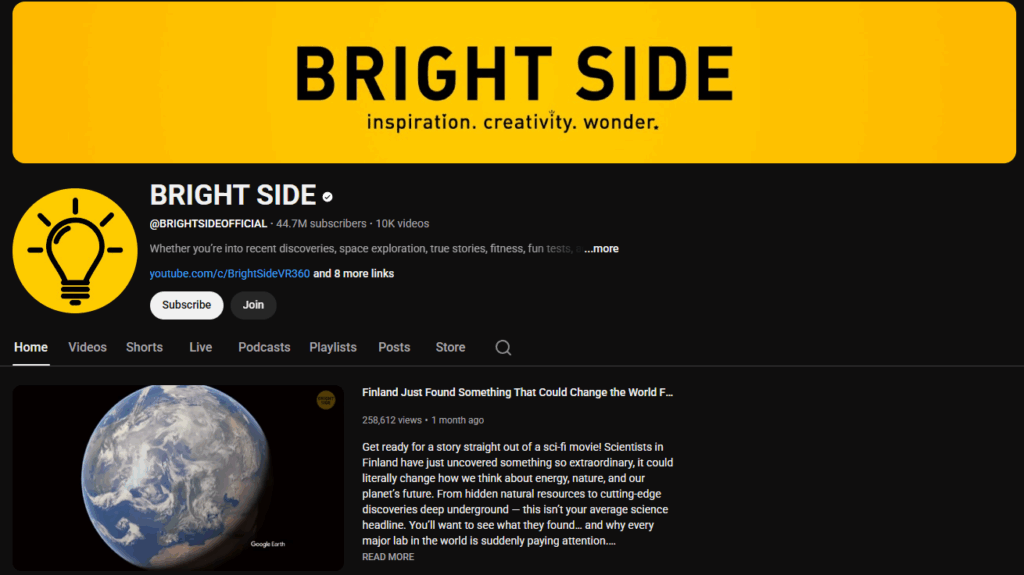
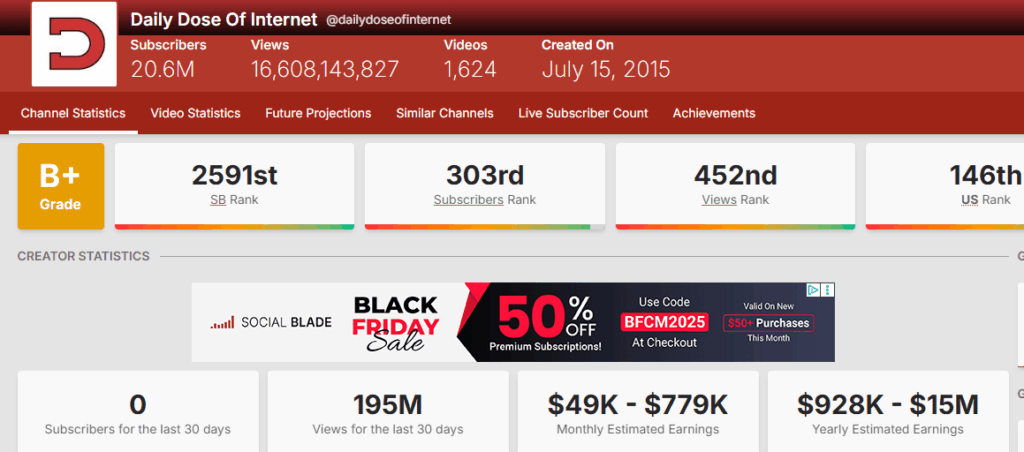
Think about channels like Daily Dose of Internet, History Bylines, or those motivational “Stoic Mindset” videos. They have millions of views, huge ad revenue, and you never see the creator.
In 2025, you don’t need a film crew to do this. You need an AI stack.
In this guide, I will show you how to start a faceless YouTube channel from scratch, focusing on the most critical part: high-quality audio.
Bonus Idea: You can also start an ‘Audiobook Channel’ (public domain books). It is a great passive income stream. Learn how to produce them here: best ai audiobook generator.
Step 1: Choose a High-CPM Niche
Before you create a channel, you need to know who you are talking to. Don’t just “make videos.” Pick a market.
The best niches for faceless YouTube channels in 2025 are:
- History & Mysteries: Storytelling formats (e.g., “The Dark Truth about Rome”).
- Motivation & Stoicism: Slow-paced visuals with a deep voice.
- Tech & AI News: Explaining new tools.
- Horror Stories: Creepypastas and Reddit threads.
This is the first step in how to start a faceless YouTube channel correctly.
When creating content for history or mystery niches, the narrator’s tone is everything. A standard American robot voice destroys the atmosphere. To get that BBC documentary vibe, I highly recommend using a British Accent Text to Speech generator that interprets context rather than just reading words.
For news commentaries, history documentaries, or ‘Top 10’ style videos, you need an authoritative voice. The classic Antoni text to speech model is the industry standard for this niche.
My Experiment: Creating a Script in 60 Seconds
You don’t need to be a professional writer to create viral content. You can leverage tools like ChatGPT or Claude to generate high-retention scripts in seconds.
However, most people fail because they use lazy prompts like “Write a script about X.” To get professional results, you need to give the AI specific constraints.
Here is the exact prompt I used for this experiment:
Act as: A professional scriptwriter for viral YouTube Shorts and TikToks (Faceless Niche).
Your Task: Write a compelling, 60-second script about [INSERT TOPIC HERE].
Constraints & Guidelines:
- Word Count: Maximum 140 words (must fit within 60 seconds at a normal speaking pace).
- Tone: Deep, authoritative, and storytelling-driven. Avoid cheerful/salesy language.
- Reading Level: Grade 6 (Simple, punchy sentences).
- Structure:
- 0-3s (The Hook): Start with a controversial statement or a “Did you know” question to stop the scroll instantly.
- 3-45s (The Value): Tell the story or explain the concept rapidly. No fluff.
- 45-60s (The CTA): A strong closing quote or call to action.
Output Format: Please provide the output in a table with two columns:
- Visual Cue: (Describe the stock footage or AI image that should appear).
- Voiceover: (The actual text for the narrator).
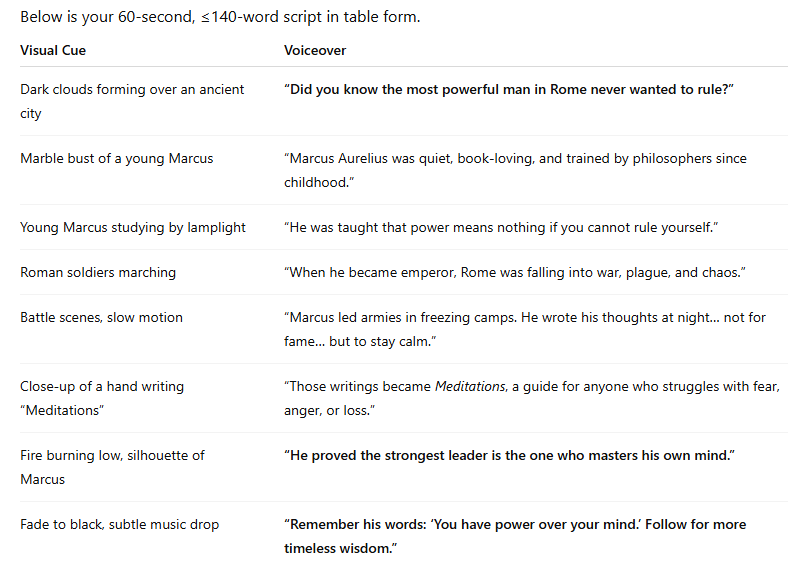
And here is the output ChatGPT generated for me:
If you don’t want to juggle between ChatGPT for scripts, ElevenLabs for audio, and Premiere Pro for editing, there is a faster way. Check out our in-depth Lovo AI review to see how ‘Genny’ combines all these steps into one browser tab.
Step 3: Generating the Narrator
This is where 99% of new channels fail.
They rely on free, robotic text-to-speech voices from TikTok or CapCut. YouTube hates this.
Listeners click off after 3 seconds because it sounds cheap and low-effort. Worse yet, using generic TTS voices puts your channel at risk of being flagged for “repetitive content,” which can kill your monetization.
To succeed with a faceless channel, you need a voice that sounds human, authoritative, and emotional.
The Solution: ElevenLabs
For professional narration, ElevenLabs is currently the undisputed industry standard. It offers AI voices that breathe, pause, and intonate just like real actors.
Here is exactly how the output sounds using the viral “Adam” voice (generated from the script above):
Which Voice Should You Use?
- For Motivation/History: Use the viral “Adam” voice. It’s deep and commands attention.
- Read my guide: How to Get the Viral Adam Voice
- For Horror: You can create creepy, distorted voices.
- For Unique Branding: You should clone your own voice (or a unique character voice) so your channel stands out.
- See my test: ElevenLabs Voice Cloning Review
- For Comedy & Memes: If you create viral skits or parody content, you need high-energy character voices.
- Learn how to generate the most famous one in my guide: SpongeBob Text to Speech.
I compared the top tools on the market to see which one is best for video creators. See the winner in my Best Text to Speech for Video Editing battle.
Step 4: The Visuals (The Body)
YoYou have the script and the voice. Now you need the visuals. The best part? You don’t need a camera.
Here is the exact stack I recommend for sourcing content:
- Stock Footage: Use sites like Pexels or Pixabay (free), or Storyblocks (paid) for high-quality B-roll.
- AI Generation: Use tools like Midjourney (for unique images) or Runway Gen-2 (for video clips) if you want a specific style that stock footage can’t provide.
- Editing: Use Canva or CapCut (free and beginner-friendly) or DaVinci Resolve (industry standard).
Pro Tip: If your video has a lot of narration, use Descript to edit the video by deleting text. It’s faster than traditional editors.
I put the script and the audio generated above into Canva. Here is a screenshot showing how easy it is to assemble. I did this in just 2 minutes:
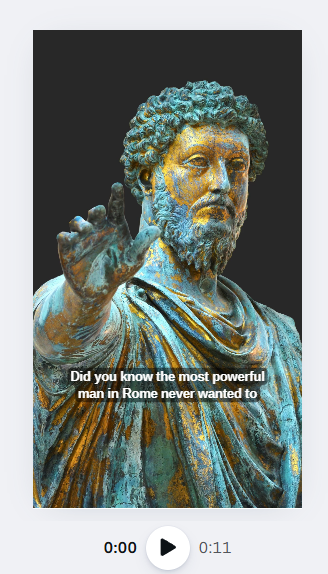
Using stock footage is the standard method when learning how to start a faceless YouTube channel quickly.
Pro Tip: You also need background music. Instead of paying for Epidemic Sound, you can now generate unique tracks using AI. Read my guide on Best Text to Speech for Songs & Music.
The Workflow: How to Start a Faceless YouTube Channel From Scratch
Here is how you assemble your faceless YouTube channel content:
- Generate Script (ChatGPT).
- Generate Audio (ElevenLabs). Do not skip quality here. Bad audio kills retention.
- Gather Visuals (Stock/AI).
- Edit: Sync the visuals to the audio in Canva. Add subtitles (Auto-captions).
- Upload.
Monetization: How You Get Paid
- AdSense: Once you hit 1000 subscribers and 4000 watch hours (or 10M Short views), YouTube pays you for ads.
- Affiliate Marketing: If you make a tech channel, you can review tools (like I am doing now) and put links in the description. Affiliate marketing is often the main revenue source for those figuring out how to start a faceless YouTube channel.
- Sponsorships: Brands love faceless channels because they are “safe” and predictable.
To scale your channel, you need an efficient workflow. Don’t generate audio sentence by sentence. Learn how to use the ‘Projects’ tab to produce entire video scripts at once and save your credits. Read our full tutorial here: How to Use ElevenLabs.
Conclusion
Knowing how to start a faceless YouTube channel is the scalable way to build a media business in 2025. You remove the bottleneck (you) and replace it with systems (AI).
But remember: Content is King, but Audio is Queen. If your voiceover is bad, your video fails.
Start with the best tools. Grab the Starter Plan on ElevenLabs to get the Commercial License and start posting.
Once you have an audience, you might want to start streaming. You can actually use these same AI voices live. Check out my guide on Text to Speech for Twitch.
FAQ
Q: Can I monetize AI voice videos on YouTube? A: Yes, YouTube allows AI content. However, the content must be valuable. Repetitive, low-effort spam with robotic voices might be demonetized. That is why using high-quality voices like ElevenLabs is crucial.
Q: How much does it cost to start? A: You can start for $0 using free trials. However, for a serious channel, you should budget ~$5/month for a good voice generator (ElevenLabs Starter) to avoid copyright issues and get better quality.
Q: Is it hard to learn how to start a faceless YouTube channel? A: No, the hardest part is consistency…
Transparency Note: This post contains affiliate links. If you use these links to buy something, I may earn a commission at no extra cost to you. Thanks for your support!